How to Edit your Companies and Contacts
Quick guide to editing your Contact and Company info
At BeeCastle, we know that different businesses have different needs, so we have made it easy to customise and structure your information. Editing your contacts and companies in a way that is valuable to you, means that you can focus on and prioritise the relationships that matter.
Once you have set up your portfolios, and added custom fields, you can edit that information, as well as more basic information about your companies and contacts from within the Companies or Contacts pages.
How to edit Companies
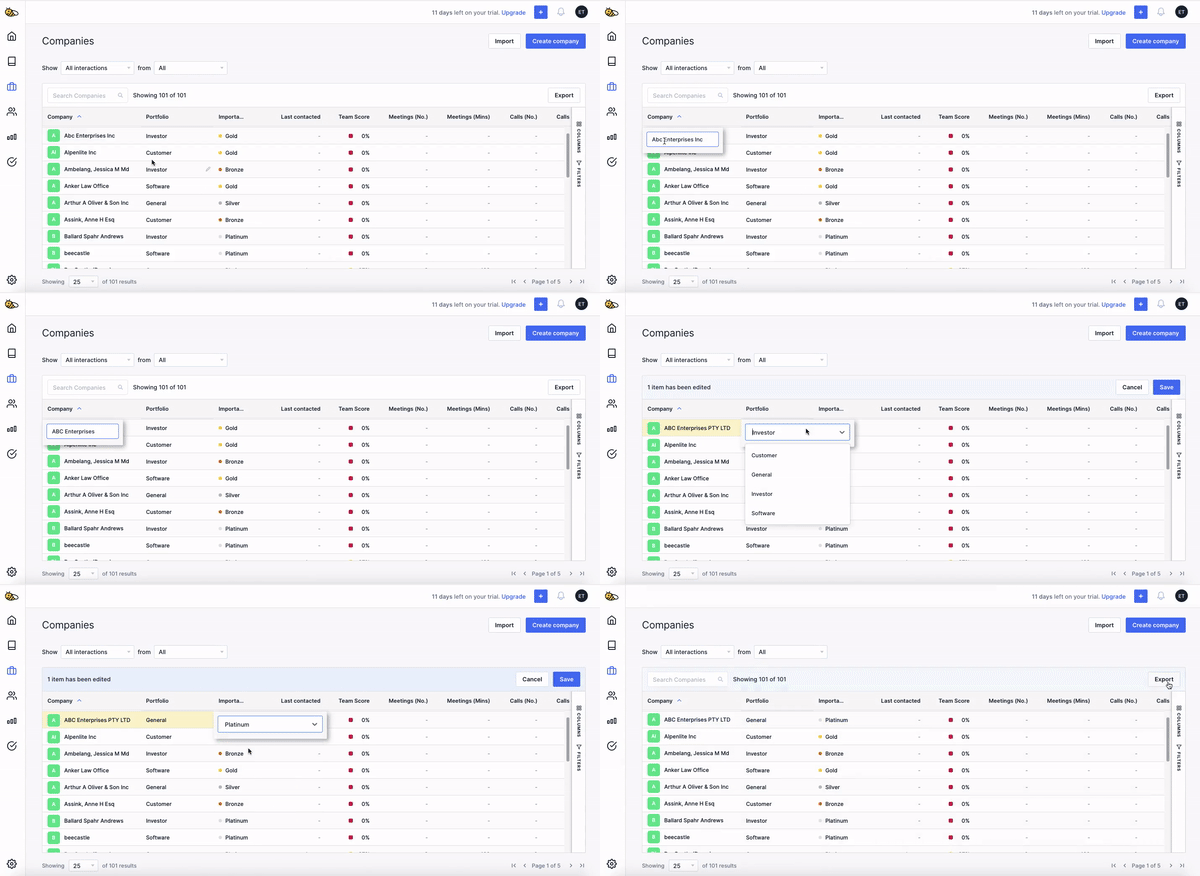
You can edit your Companies table by double clicking or hovering your mouse over the information you want to change and selecting the pen icon. Don't forget to hit save afterwards!
You can edit information such as the company name, portfolio and category (Platinum, Gold, Silver or Bronze).
How to edit Contacts
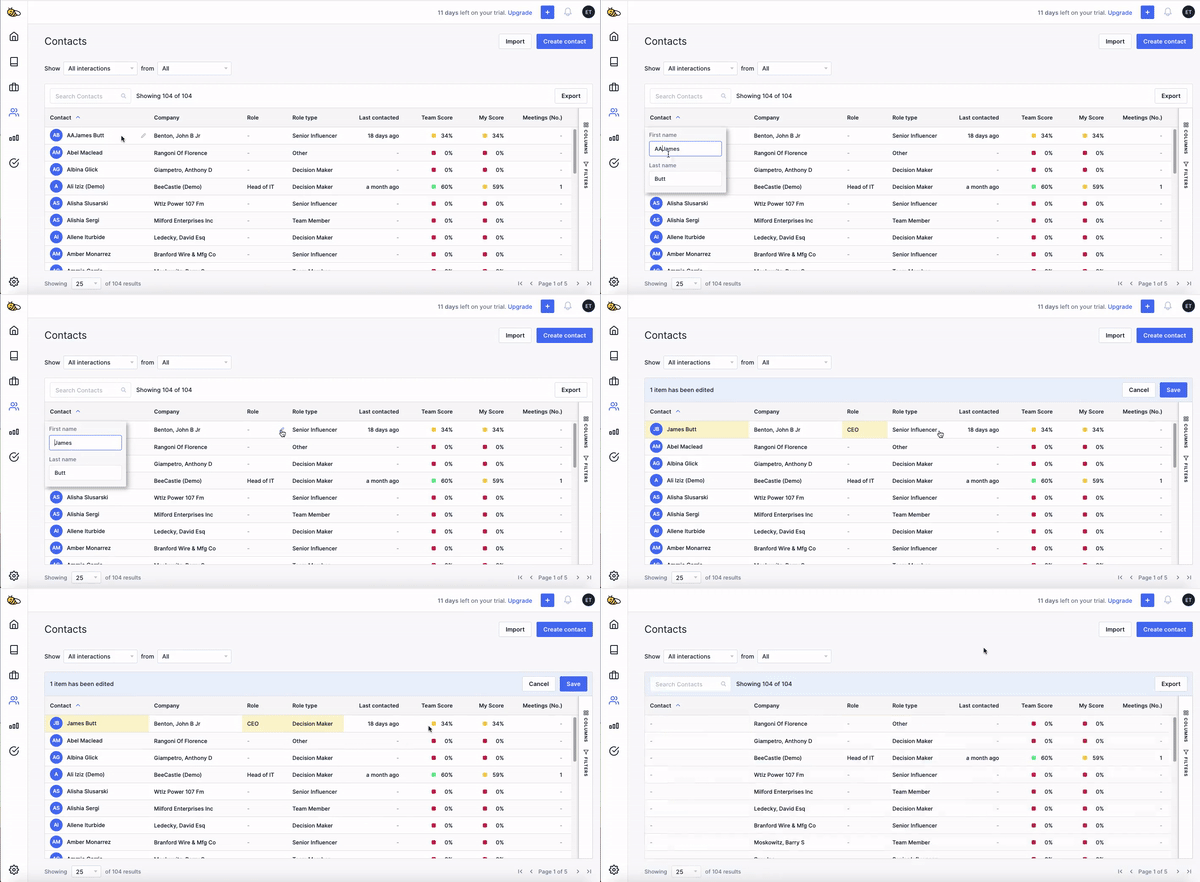
You can edit your contacts in the same way - simply double click or hover your mouse over the information you want to change and select the pen icon.
You can edit information such as the contact's name, role and role type.
Treat your tables like a spreasheet
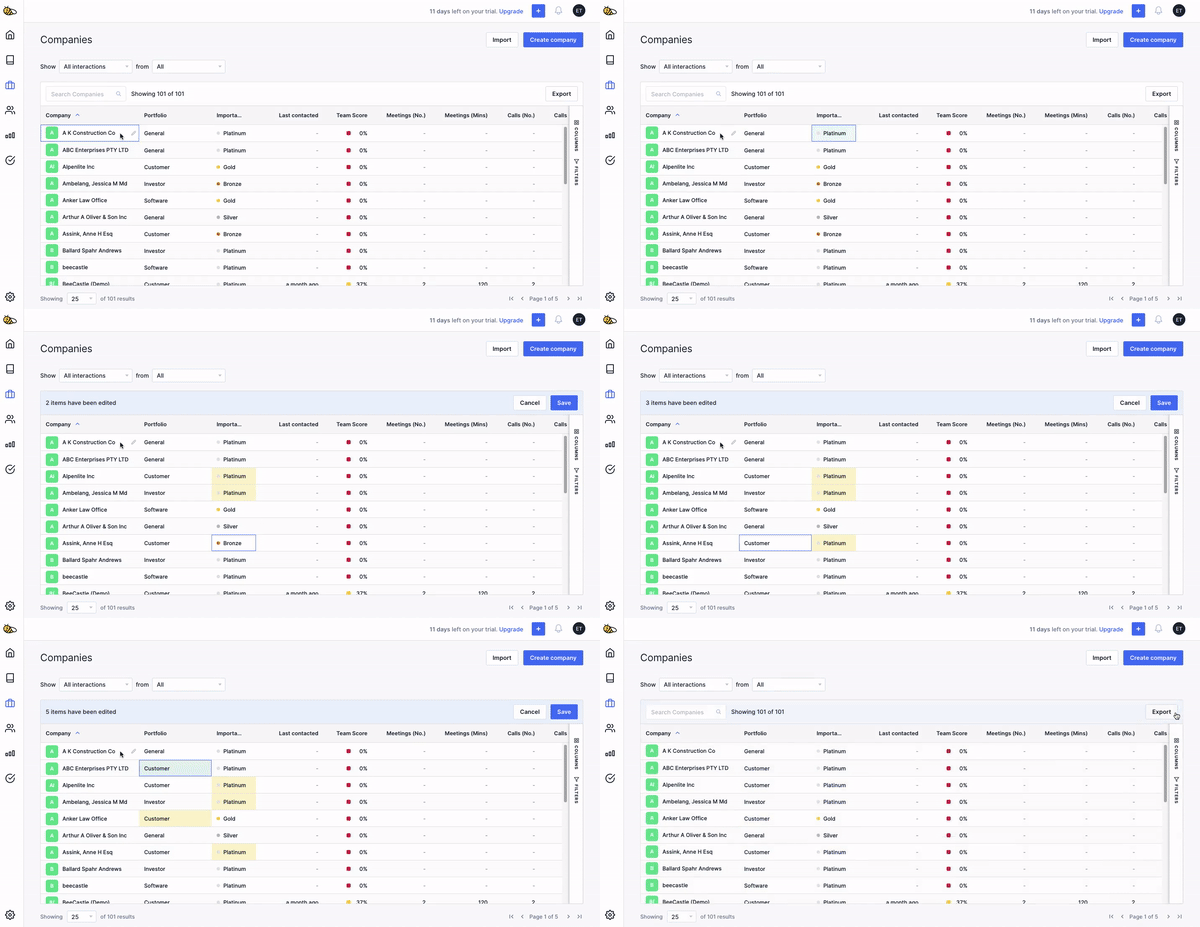
To edit larger amounts of information quickly (and for people who love spreadsheets) the Companies and Contacts table can be navigated with the arrow keys on your keyboard, and Ctrl+C and Ctrl+V can be used to copy and paste information between cells.
Was this article helpful?
Related articles
How to filter and save Segments on your Company and Contact List
At BeeCastle, we value structure .
Setting up my Contacts & CompaniesAdding Custom Fields
Add custom fields to personalise how you structure and organise your contacts and companies
Setting up my Contacts & CompaniesBulk import contacts
Import multiple contacts at a time
Setting up my Contacts & CompaniesSuggested contacts and manually adding contacts
Get started by start adding contacts without bulk upload