How to log a call
Easy ways to log calls on BeeCastle
At BeeCastle, automation of logging emails, calendar events and calls are paramount to minimising administrative time and maximising the time allocated to actually understanding and nurturing your relationships. For users with Office 365 integrated, emails and calendar invites will automatically integrate with your BeeCastle account, requiring no manual logging. However, at the moment calls are not automatically logged into your records. To learn about logging calls, keep reading.
To log your calls, either:
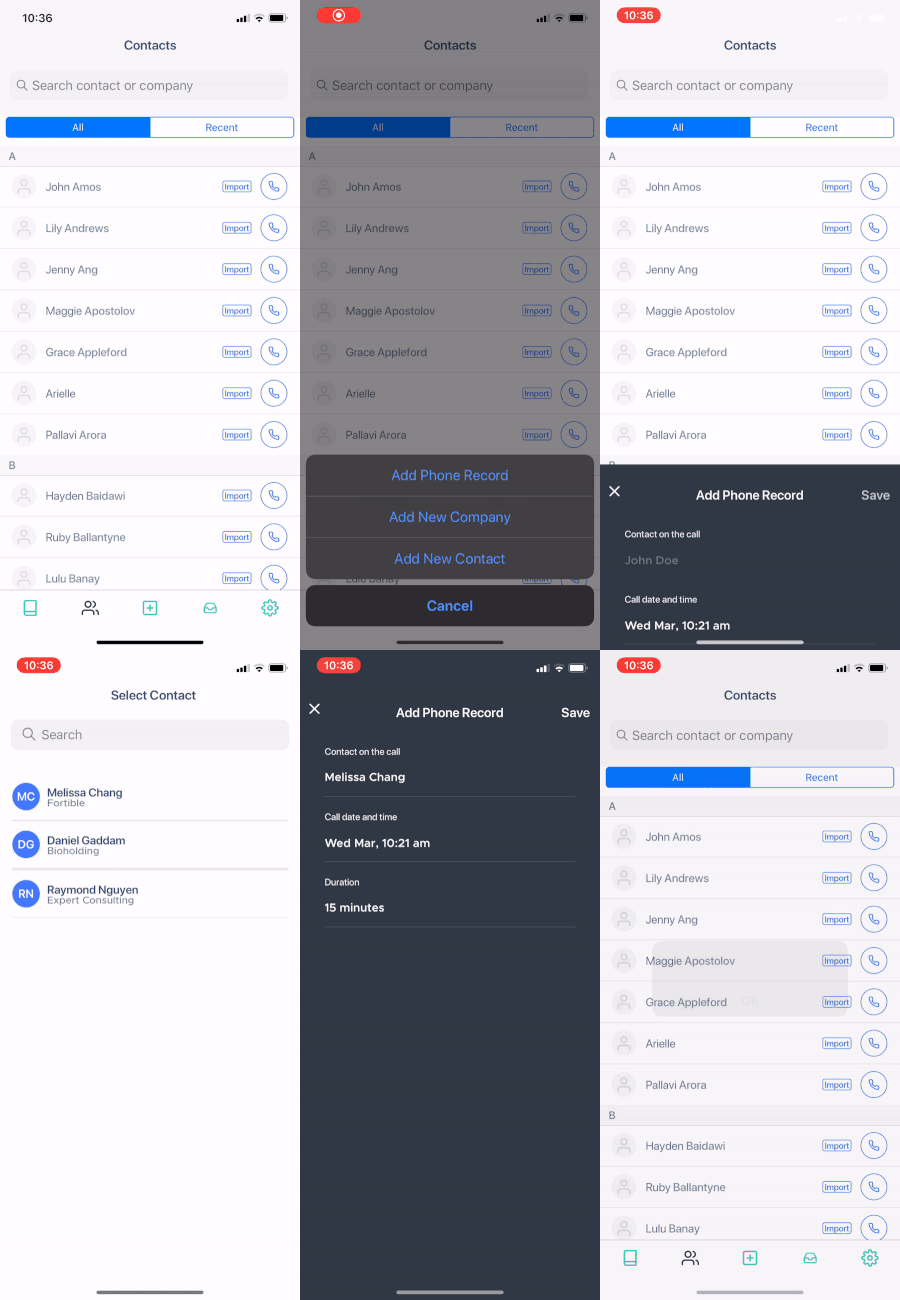
Manually log each call (this can be done from the iOS App or the online website) or
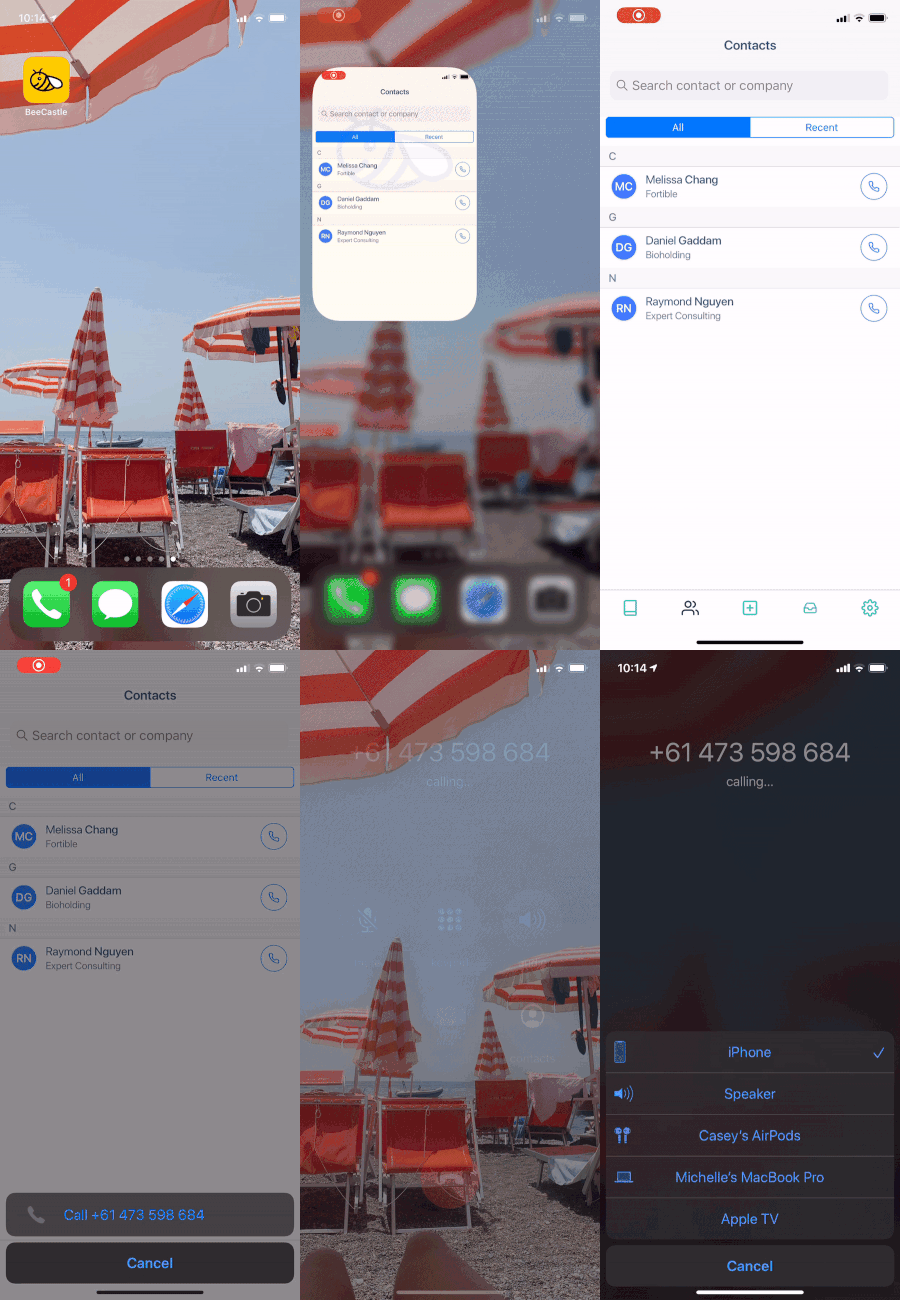
Call directly from your iOS BeeCastle App. Select who you want to call from your “Contacts” list (see image below). This will automatically log your call in BeeCastle without you having to remember to go back and manually log the call.
Was this article helpful?
Related articles
Rate and review your interactions
Quickly rate & share notes post-meeting to ensure you capture context
Engage with BeeCastle featuresOpen Opportunities "Next Meeting" and "Stage" filter
How to use the "Next Meeting" column and the "Stage" filter on the Open Opportunities view to quickly review pipeline.
Engage with BeeCastle featuresCustomer Profitability - Set Up & Data
This guide shows you how to set up and sync your data for Customer Profitability
Engage with BeeCastle featuresCreate Meetings from Open Opportunities
Quickly action meetings when you need to and save time