If required, log your outbound emails by BCC'ing BeeCastle
Recording individual emails as interactions through BCC
If you are not able to setup account level email integration through forwarding, a way of each user individually recording their outbound emails with contacts through BCC'ing BeeCastle.
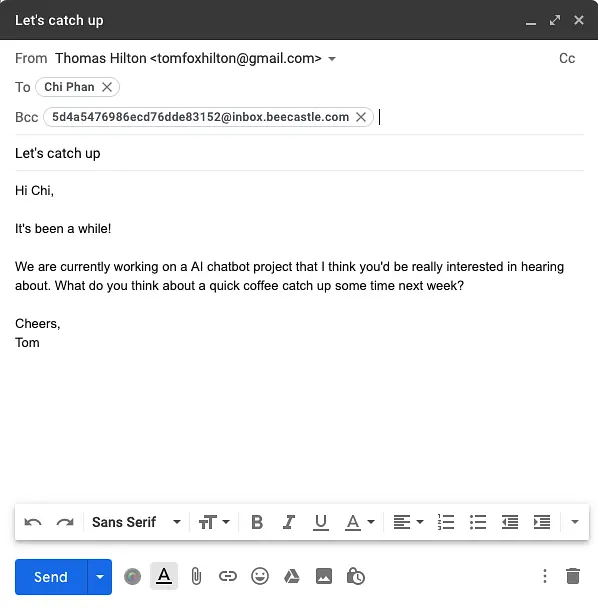
Firstly, you'll need know your BeeCastle email address which you'll find in the 'Admin Settings' -> 'Email Logging' menu of the BeeCastle web app. This will be in format of <acccount-specific-inbox>@inbox.beecastle.com
Then, when you want to log an email you are about to send BCC the BeeCastle email address and the email will be recorded against the recipients if they are contacts within BeeCastle. Check it worked by visiting that contacts dashboard to see if the email is logged in their interaction feed.
Was this article helpful?
Related articles
Setting up account level email forwarding with Microsoft Office if direct integration is not possible
Set account level email journalling in your 365 admin settings
Integrating without Microsoft 365Setting up account level email integration with Gmail
Setting up account level email journalling in your Gmail admin settings
Integrating without Microsoft 365None of my calendars are showing in the Integrated Calendars menu?
Steps to provide BeeCastle permission to access your calendars so you can integrate them
Integrating without Microsoft 365Setting up account level email integration with Amazon Workmail
Set account level email journalling in your AWS Workmail admin settings