How to add and manage Portfolios
At BeeCastle, we value structure .
At BeeCastle, we value structure. By structuring your client networks, grouping and organising your business relationships becomes both easier and more powerful. Structuring helps prioritise and automatically assign influence so you can focus on the relationships that matter. BeeCastle requires users to sort companies into 'Portfolios'.
When considering how you structure Portfolios, think about how you split your business relationships. A common approach is by type of relationship to you: customer, referrer, partners, investors etc. Alternatively, you could organise by region, industry or practice area.
Where to access Portfolios
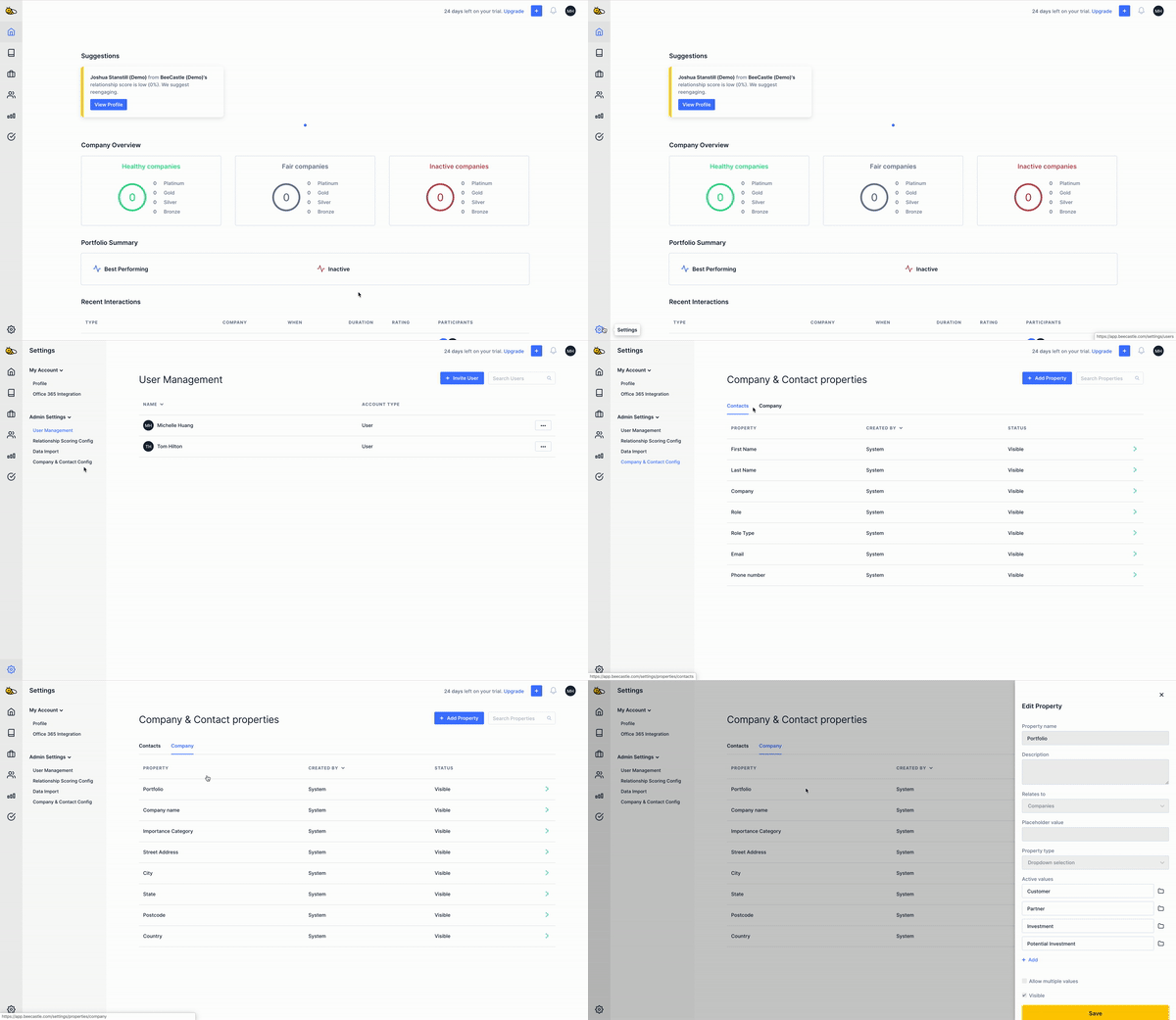
To access Portfolios:
Go into ‘Settings’
Select the ‘Company & Contact Config’ section in ‘Admin Settings’
Select the 'Company' heading
‘Portfolio’ will be the first row under ‘Company’
Managing Portfolios
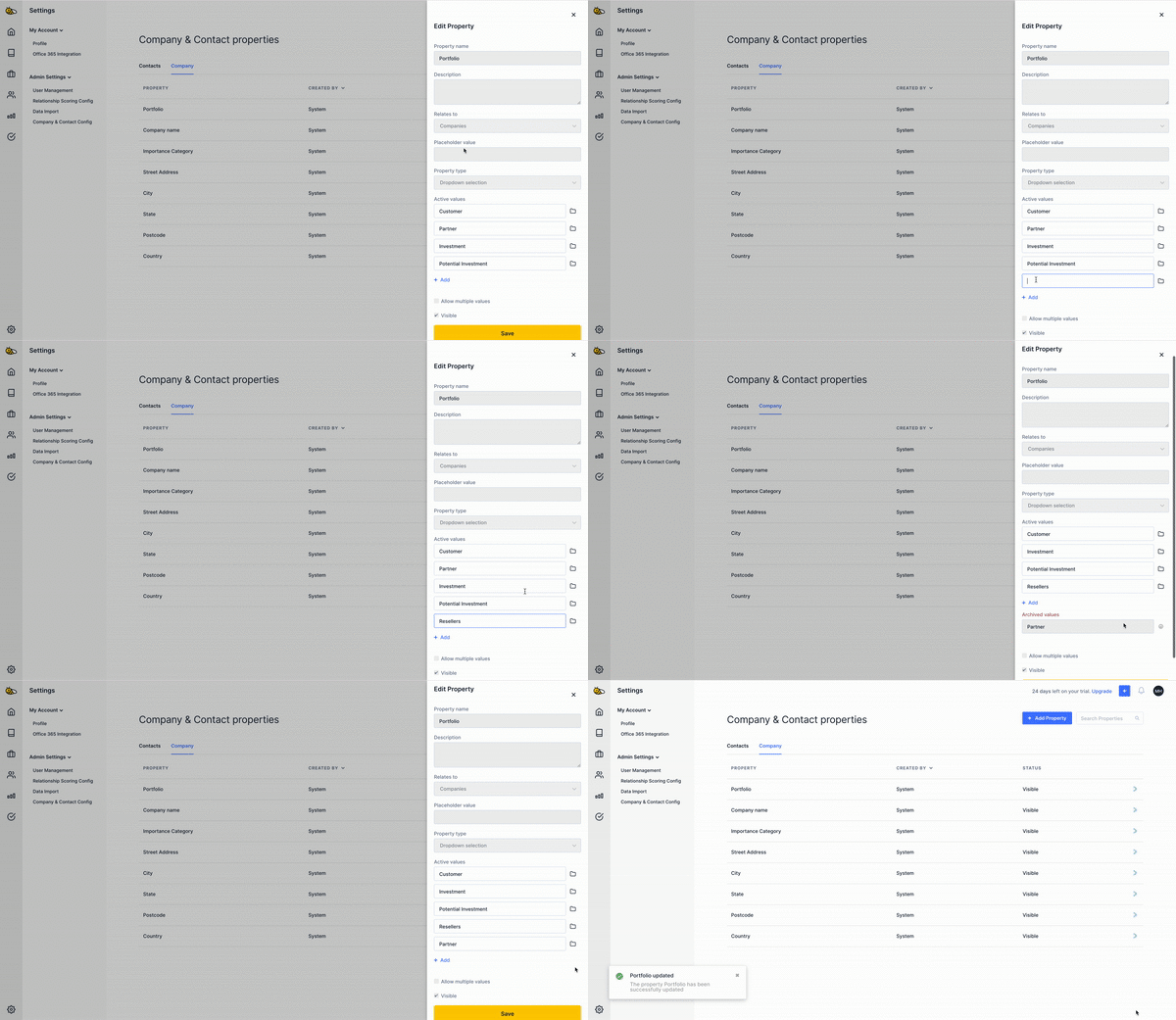
In Portfolio, you can manage your portfolios by adding and archiving/un-archiving properties.
Was this article helpful?
Related articles
How to filter and save Segments on your Company and Contact List
At BeeCastle, we value structure .
Setting up my Contacts & CompaniesAdding Custom Fields
Add custom fields to personalise how you structure and organise your contacts and companies
Setting up my Contacts & CompaniesBulk import contacts
Import multiple contacts at a time
Setting up my Contacts & CompaniesHow to Edit your Companies and Contacts
Quick guide to editing your Contact and Company info