Primary Contacts in Companies
How BeeCastle identifies the primary contact in a company or customer organisation
Identification of the primary contact within a company or customer can help an account manager or sales rep understand who to speak to in an organisation, or the key person to maintain a relationship with. BeeCastle relies on PSA data to determine who the primary contact within an organisation is, and this article describes how that is done.
Autotask
BeeCastle synchronises the Primary Contact from the Company record.
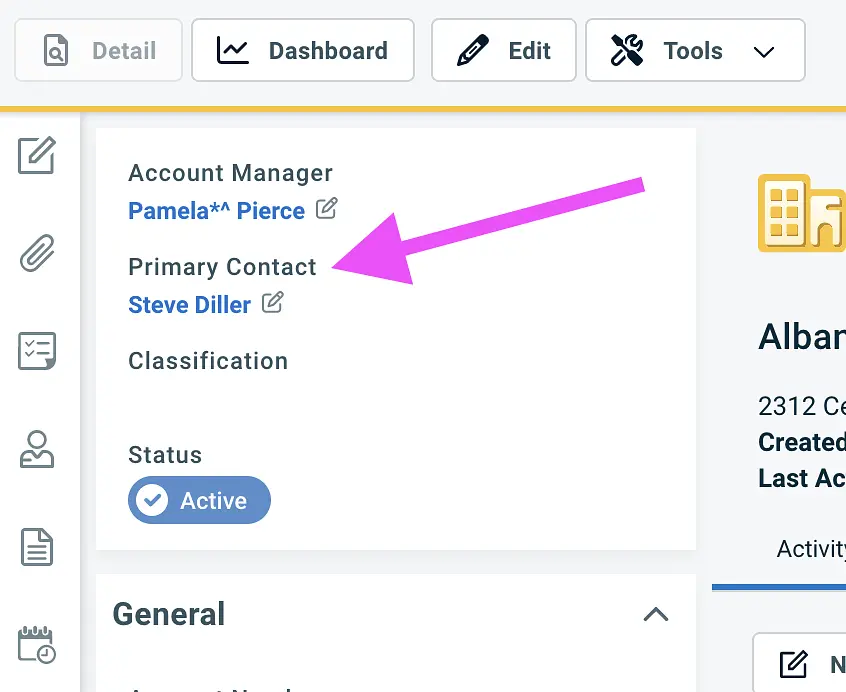
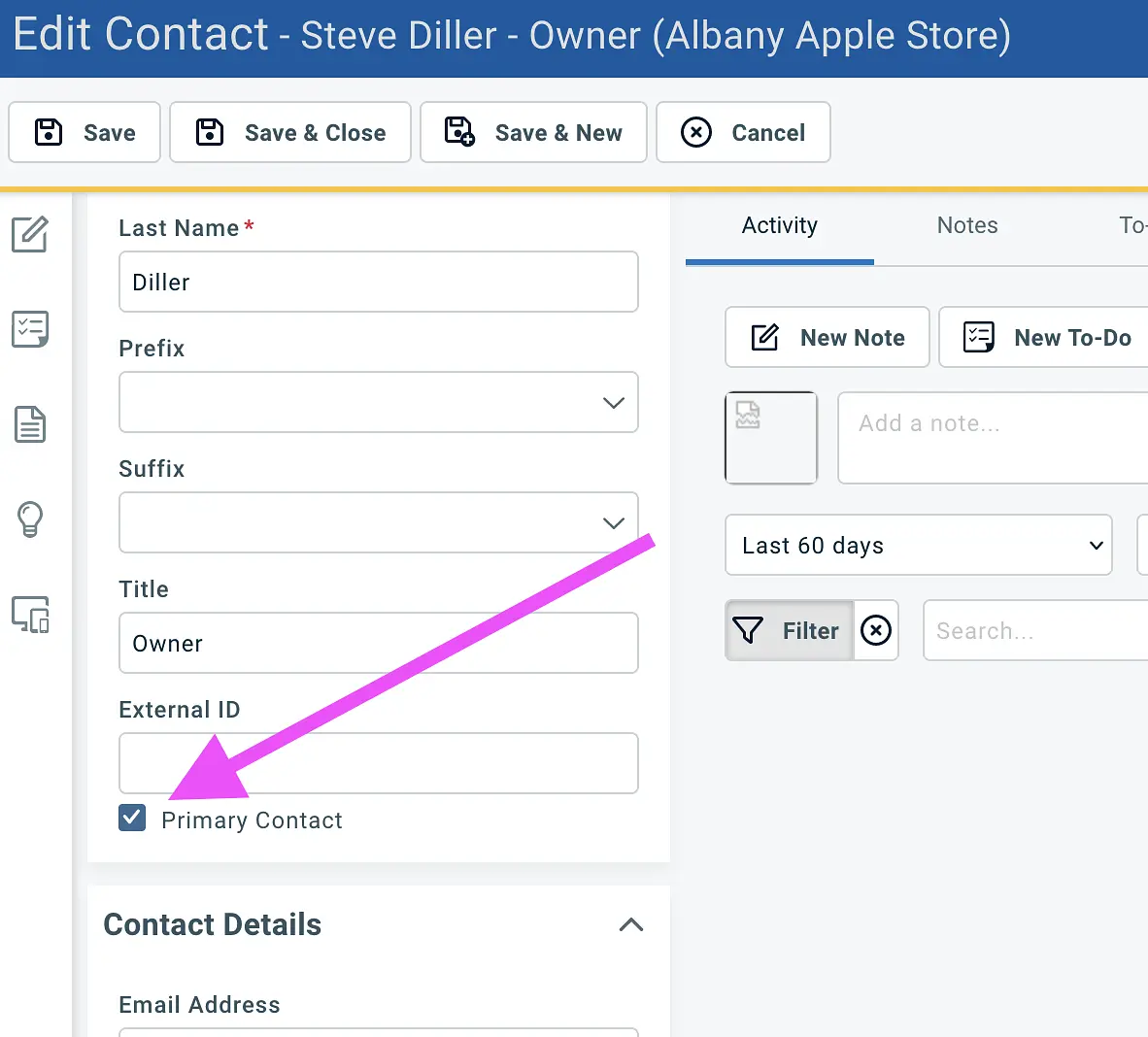
To set this field, navigate to the contact you wish to set as the primary contact, Edit, and check the Primary Contact box. This will overwrite any existing primary contact setting, as Autotask supports one primary contact per company.
Connectwise Manage
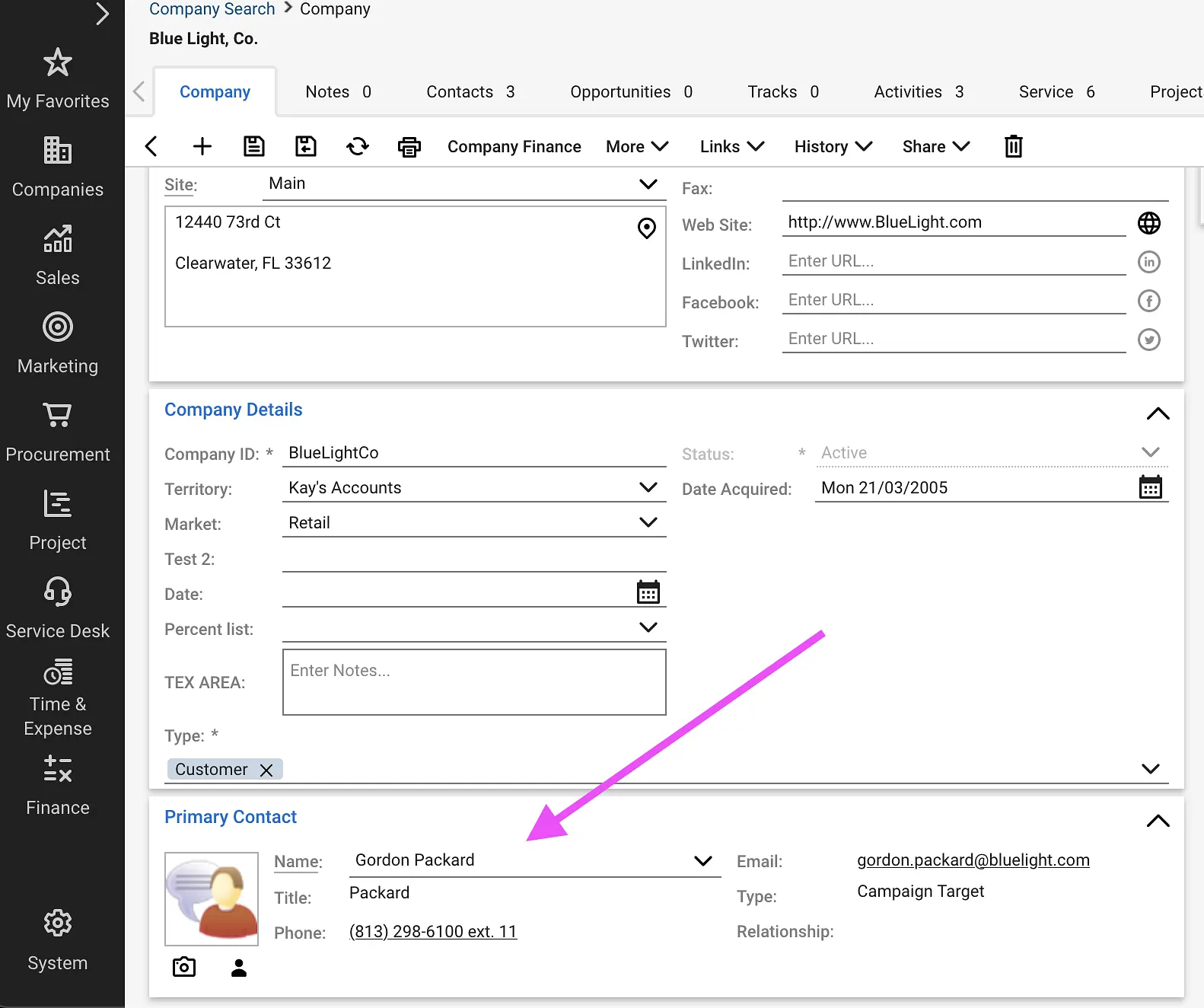
BeeCastle synchronises the Primary Contact from the Company Record. To set this, navigate to the Company you wish to change the primary contact for, and select a contact from the company using the drop-down list picker.
HaloPSA
We are currently developing the Primary Contact sync functionality for HaloPSA. Please get in touch at help@beecastle.com if you would like to discuss this.
Was this article helpful?
Related articles
How to filter and save Segments on your Company and Contact List
At BeeCastle, we value structure .
Setting up my Contacts & CompaniesAdding Custom Fields
Add custom fields to personalise how you structure and organise your contacts and companies
Setting up my Contacts & CompaniesBulk import contacts
Import multiple contacts at a time
Setting up my Contacts & CompaniesHow to Edit your Companies and Contacts
Quick guide to editing your Contact and Company info