Setting reminders
Set reminders against accounts or contacts to make sure nothing slips
BeeCastle is your one stop shop for not only keeping track of your relationships but also managing your relationships. Assess the status of your relationships and then stay on top of them by setting yourself reminders.
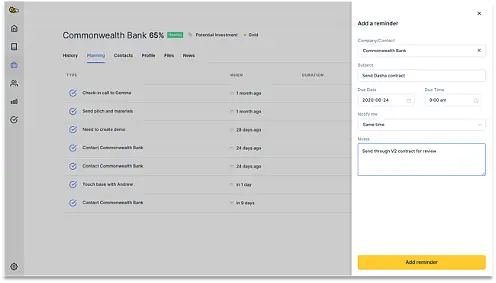
Add a reminder against a company or contact by selecting '+ Add Reminder' when you are on a company or contact dashboard.
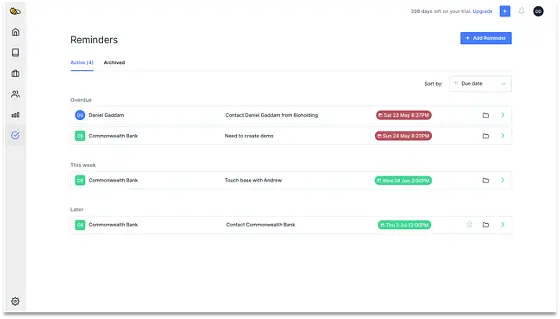
View all your reminders from the Reminders section, selectable from the left side panel. If you have completed a reminder, just archive it and it will be removed from the list.
On time and date the reminder is due, you will receive a notification that includes the reminder details and the note if it exists. This notification will be in the browser in the top right and a mobile push notification if you have downloaded the iOS app.
Was this article helpful?
Related articles
Open Opportunities "Next Meeting" and "Stage" filter
How to use the "Next Meeting" column and the "Stage" filter on the Open Opportunities view to quickly review pipeline.
Engage with BeeCastle featuresCustomer Profitability - Set Up & Data
This guide shows you how to set up and sync your data for Customer Profitability
Engage with BeeCastle featuresCreate Meetings from Open Opportunities
Quickly action meetings when you need to and save time
Engage with BeeCastle featuresTrack Your Contracts in BeeCastle
Now you can see all of your contracts in BeeCastle and stay ahead of the game!